
Product Not Showing as Eligible at Checkout
Why a product may not appear eligible
HSA/FSA eligibility at checkout is not simply a yes or no per brand. Even within a Truemed partner brand, eligibility is determined at the product level. This means some products from the same brand will show the Truemed HSA/FSA checkout option, and others will not.
There are several common reasons a specific product might not appear eligible when you are shopping:
-
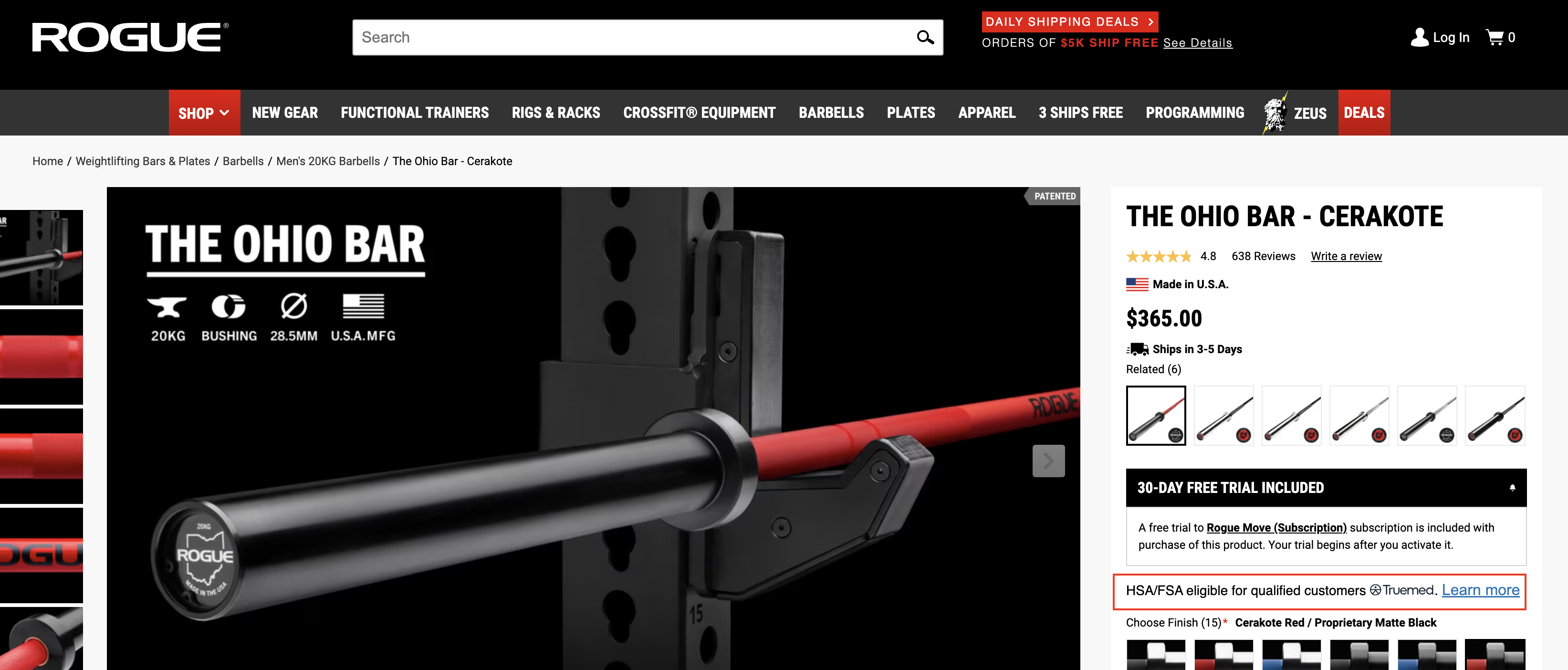
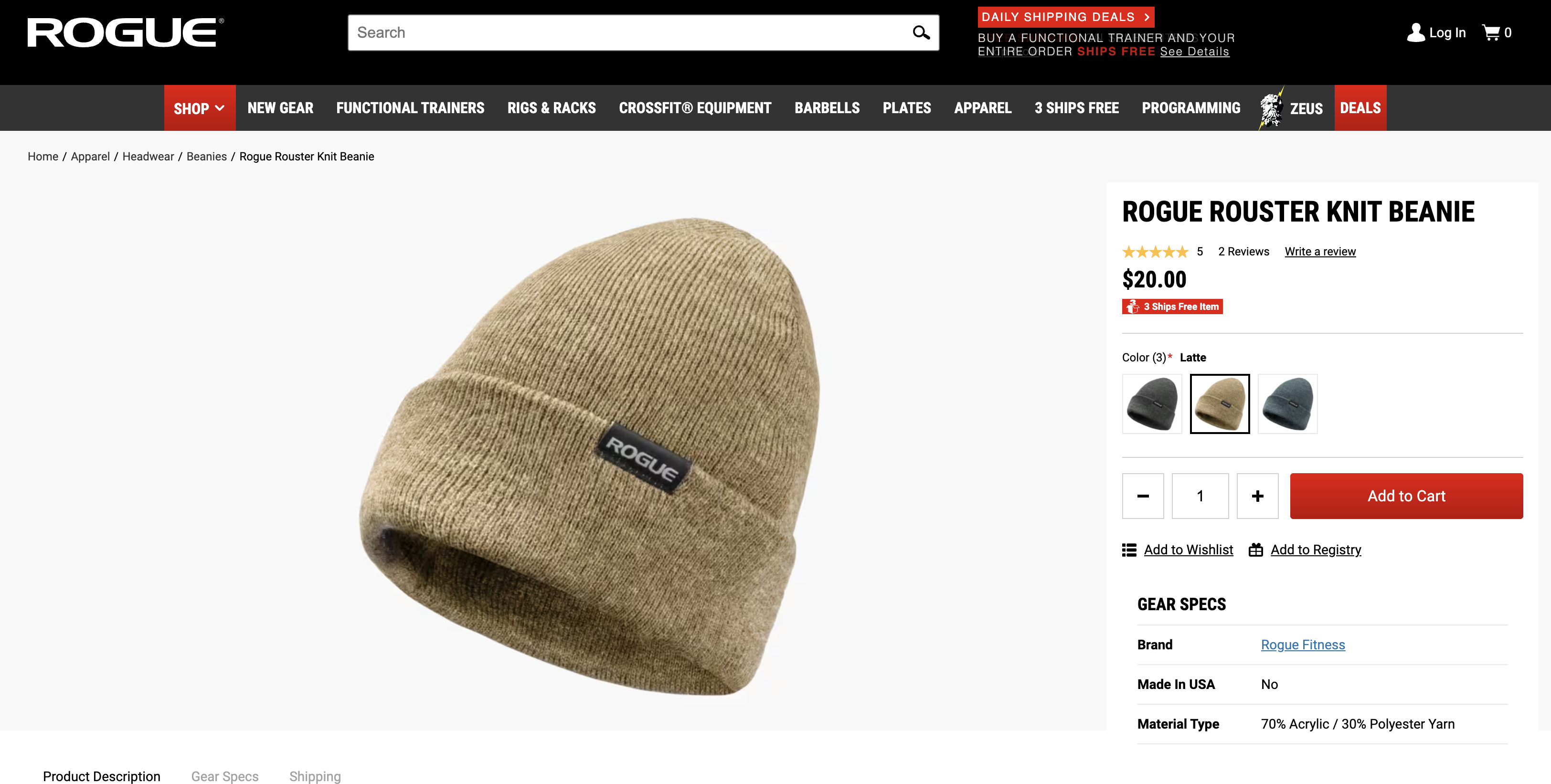
The product is genuinely ineligible. Some products from partner brands are accessories, lifestyle items, clothing, or otherwise fall outside what the IRS considers a qualified medical expense. The following screenshots show a comparison of an eligible and an ineligible item from the same merchant:
- The product hasn’t been categorized yet. The product may actually be eligible, but it hasn’t been added to Truemed’s system yet. This can happen with new product launches.
- You are shopping on a third-party website. Truemed’s integration only works through the brand’s direct website. If you are on Amazon, Best Buy, or another retailer, the Truemed option won’t appear even if the product itself is eligible.
- The brand is not a Truemed partner. If you are on a brand’s direct site and see no HSA/FSA option at all, they may not be integrated with Truemed.
Understanding which of these applies to your situation will point you toward the right next step.
Ineligible product purchases
Not every product a brand sells qualifies for HSA/FSA use. Eligibility is determined product by product based on IRS guidelines, not brand by brand.
How to tell if a product is genuinely ineligible:
- There is no HSA/FSA option at checkout, and the product is an accessory, lifestyle item, or clearly not health-related.
- The product is from a category that does not fall under IRS Section 213(d) qualified medical expenses.
What to do:
If the product you want is not eligible, you have a few options:
- Find an eligible alternative. The brand may carry a similar product that does qualify. Look for products in the same category that show the HSA/FSA checkout option.
- Purchase with a regular card. You can always buy an ineligible product using a standard debit or credit card. A purchase made outside of Truemed will not appear in the Orders tab of your Truemed dashboard, since Truemed was not part of that transaction.
- Split your payment. Your cart can include both eligible and ineligible items and you can split your payment for each amount between your HSA/FSA card and a personal credit/debit card.
- Browse the Truemed marketplace. Visit truemed.com to explore eligible products across all partner brands and find options that meet your health needs.
Product not yet categorized
Truemed reviews every single merchant partner product for eligibility. In some cases, a product may be genuinely HSA/FSA eligible but because it is new, our team has not yet reviewed it for eligibility.
How to tell if this might be the case:
- The brand is a known Truemed partner and other products from them do show as eligible at checkout.
- The product you want is clearly health-related (for example, a fitness tracker, a supported supplement, or a recovery device).
What to do:
Reach out to Truemed support at support@truemed.com and share the product name and URL. Truemed’s team will work with the merchant to evaluate whether the product qualifies and, if so, get it added to the system.
Purchasing on a third party or non-partner website
Truemed’s integration is built directly into partner merchants’ checkout flows. This means it only works when you are shopping on the brand’s own website.
If you find a Truemed-eligible product on a third-party retailer like Amazon, Best Buy, Walmart.com, or another marketplace, you will not see the HSA/FSA option at that retailer’s checkout. This is true even if the exact same product is eligible when purchased directly from the brand.
What to do:
Go directly to the brand’s website to make your purchase. For example:
- If you want an eligible Garmin device, purchase it at garmin.com rather than through Amazon or a third-party seller.
- If you are shopping for a supplement brand that partners with Truemed, buy from the brand’s direct site.
Shopping directly from the brand ensures you have access to Truemed’s checkout and can apply your HSA/FSA funds at the point of sale.
If you have already purchased on a third-party site, you can reach out to them to see if they can process a refund or cancel your order, allowing you to repurchase directly from the merchant’s website using Truemed at checkout.
What to do next
Here is a quick summary of next steps based on your situation:
If you are unsure which situation applies to you, reaching out to support@truemed.com is always a good place to start. Include the product name, a link to the product page, and a description of what you are seeing at checkout. Truemed’s support team can confirm whether the product is eligible, whether it’s an uncategorized SKU, or whether you need to shop elsewhere.
Truemed is for qualified customers. HSA/FSA tax savings vary. Learn more at truemed.com/disclosures.